Eight years ago I sat in front of my laptop completely confused about why our company website was not showing up on Google. We had a decent website, good products and a team that worked hard. But we were invisible online.
That was the day I decided to figure out SEO properly. Not just read a few articles but genuinely understand how search engines work and how to make them work for us.
Eight years later, I have helped dozens of businesses across technology, e-commerce and professional services grow their organic traffic significantly using the same fundamental principles. And the thing that surprises most people when they start working with me is how simple those principles actually are.
SEO has a reputation for being complicated. It is not. The basics are straightforward and accessible to anyone. In this article, I am sharing 15 SEO tips for beginners that I genuinely use with clients every single day: no technical jargon, no expensive tools required.
What is SEO and Why Does it Matter?
Before we get into the tips let me answer the most fundamental question. What is SEO?
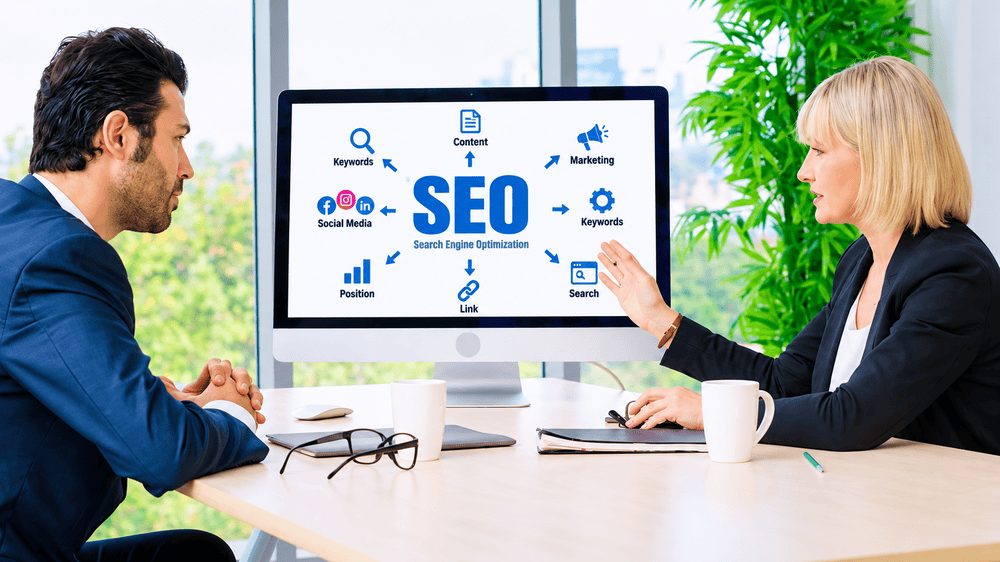
SEO stands for Search Engine Optimisation. It is the process of improving your website so that it appears higher in search engine results pages primarily Google when people search for topics relevant to your business.
When someone types a question into Google they are expressing a need. SEO is the process of making sure your website is the answer Google shows them.
Why does this matter? Because over 90% of online experiences begin with a search engine. When someone needs a product, a service, information or an answer to a problem their first instinct is to search for it. If your website does not appear in those results you are invisible to the people who are actively looking for exactly what you offer.
Unlike paid advertising where you pay for every click, organic SEO traffic is free. Once your pages rank well they continue to bring visitors to your website every single day without any ongoing cost. That is why SEO is one of the highest return on investment activities available to any business.
Start With Keyword Research
Every effective SEO strategy begins with understanding what your potential customers are actually searching for. This is called keyword research and it is the foundation of everything else.
Start with long tail keywords
When you are new to SEO it is tempting to target the biggest, most popular keywords in your industry. This is a mistake. A keyword like digital marketing has millions of searches per month but it also has millions of competing pages from established websites with enormous authority. You will not rank for it any time soon.
Long tail keywords are longer, more specific phrases with lower search volume but also much lower competition. Instead of digital marketing try digital marketing tips for small businesses in India or how to start digital marketing with no experience. These phrases have fewer monthly searches but the people searching for them are more specific about what they need and your chances of ranking are dramatically higher.
I always tell new clients to write down 20 questions their customers ask them in real life. Those questions are your starting point for keyword research.
Use free SEO tools for keyword research
You do not need to spend money on expensive tools when you are starting out. Some of the best free SEO tools for keyword research include Google Keyword Planner, Ubersuggest, Answer the Public and Google Search Console. Google Keyword Planner shows you monthly search volumes and competition levels. Answer the Public shows you all the questions people ask around any topic. Ubersuggest shows you keyword difficulty scores. Between these three free SEO tools you have everything you need to build a solid keyword strategy without spending a rupee.
Study what your competitors rank for
One of the fastest ways to find keyword opportunities is to look at what your competitors are already ranking for. If a competitor is consistently showing up on the first page of Google for certain keywords that tells you two things those keywords have commercial value and they are achievable for a website in your space. Tools like Ubersuggest and the free version of Ahrefs allow you to type in a competitor’s URL and see their top ranking keywords.
Always focus on search intent
Search intent is arguably the most important concept in modern SEO. When someone searches for a keyword what are they actually trying to accomplish? Are they trying to learn something, buy something, find a specific website or compare options?
Google has become extraordinarily good at understanding intent and it rewards pages that match the intent behind a search. If someone searches for best running shoes for beginners they want a comparison guide with recommendations not a product page selling one specific shoe. Understanding and matching search intent is what separates good SEO from great SEO.
On Page SEO Techniques That Make a Difference
On page SEO refers to everything you do on your individual web pages to help them rank. These on page SEO techniques are within your complete control and are where most beginners should focus first.
Write a strong title tag for every page
The title tag is the clickable headline that appears in Google search results. It is one of the most important on page SEO signals and it is one that most beginners get wrong. Your title tag should include your primary keyword, be between 50 and 60 characters long, and be genuinely compelling enough that people want to click on it.
A bad title tag looks like this: Home Page or Services
A good title tag looks like this: 15 SEO Tips for Beginners That Actually Work in 2026
The difference in click-through rate between a weak and strong title tag is enormous.
Write a compelling meta description for every page
The meta description is the short paragraph that appears below the title in search results. Google does not use it as a direct ranking factor but it significantly affects whether people click your result. A well-written meta description that clearly explains what the page offers and includes your keyword naturally will improve your click-through rate and click-through rate does influence rankings indirectly.
Keep meta descriptions between 150 and 160 characters. Include your primary keyword. End with a clear benefit or call to action.
Use headings correctly throughout your content
Headings H1 H2 and H3 serve two purposes. They make your content easier for readers to navigate and they signal to search engines what your content is about. Every page should have exactly one H1 tag which is typically your page title. Sections within the page should use H2 headings and subsections within those should use H3 headings.
Include your primary keyword in your H1 and related keywords naturally in your H2 headings. Do not keyword stuff the headings should read naturally for a human reader first and foremost.
Include your primary keyword naturally in the first 100 words
Search engines pay particular attention to the opening section of your content when determining what the page is about. Including your primary keyword naturally within the first 100 words of your content in a way that reads smoothly for a human reader sends a clear signal to Google about the topic of the page.
The key word here is naturally. Forcing your keyword into the opening paragraph in an awkward way is worse than not including it at all.
Optimise every image with descriptive alt text
Every image on your website has an alt text field a short description of what the image shows. Most beginners leave this blank. This is a missed opportunity. Writing descriptive alt text that includes your keyword where relevant helps search engines understand your content, improves your accessibility for visually impaired users and can bring additional traffic through Google Image Search.
Add internal links between related pages
Internal linking from one page on your website to another related page is one of the most underused on page SEO techniques available to beginners. Internal links help search engines discover and index your pages more efficiently, distribute authority across your site and help users navigate to related content they might find valuable. Every piece of content you publish should link to at least two or three other relevant pages on your website.
Technical SEO for Beginners
Technical SEO sounds intimidating but the basics are straightforward and have a significant impact on how well your site ranks.
Make your website load fast
Page speed is a confirmed Google ranking factor. Slow websites rank lower, have higher bounce rates and convert fewer visitors into customers. Use Google’s free PageSpeed Insights tool to check your current speed score and follow the specific recommendations it provides. The most common fixes are compressing large images, enabling browser caching and minimising unnecessary code. Most WordPress users can solve the majority of speed issues by installing a caching plugin like WP Rocket or the free W3 Total Cache.
Make your website fully mobile friendly
Google uses mobile-first indexing which means it primarily uses the mobile version of your website to determine how to rank you. If your website does not work well on a mobile phone you are at a serious disadvantage in search results regardless of how good your content is. Use Google’s Mobile-Friendly Test tool to check your site and fix any issues your theme or developer identifies.
Submit your sitemap to Google Search Console
Google Search Console is a free tool provided by Google that shows you how your website is performing in search results. One of the first things you should do with any new website is submit your XML sitemap to Google Search Console. This tells Google exactly which pages exist on your site and helps it crawl and index them more quickly and efficiently.
Fix broken links on your website regularly
Broken links that point to pages that no longer exist create a poor experience for users and waste the crawl budget that search engines allocate to your site. Use free tools like Broken Link Checker or Screaming Frog to regularly audit your site for broken links and fix or remove them promptly.
Content and Link Building
Publish original high quality content consistently
This is the most important SEO tip I can give any beginner. Everything else on this list amplifies the effect of great content. But without great content nothing else matters.
What makes content great from an SEO perspective in 2026?
It genuinely answers the question or solves the problem the searcher had when they typed their query. It is more comprehensive and more useful than the competing pages already ranking. It is written by someone with real knowledge and experience in the topic of what Google calls Experience Expertise Authority and Trust or E-E-A-T. It is originally not copied, not spun, not generated without genuine human insight and editing. And it is published consistently not in one burst and then nothing for months.
I have seen businesses transform their organic traffic with nothing more than a commitment to publishing one genuinely excellent piece of content per week on topics their customers actually care about. No expensive tools, no technical wizardry just consistent valuable content that treats the reader as an intelligent adult who deserves a thorough answer.
Free SEO Tools Every Beginner Should Use
These are the free SEO tools I recommend to every client just starting out. Between them they cover every essential aspect of a beginner SEO strategy.
Google Search Console — The single most important free tool for any website owner. Shows you which keywords you rank for, which pages get the most clicks, any indexing errors and much more. Available at search.google.com/search-console
Google Analytics — Tracks all your website traffic including how visitors find your site, which pages they visit, how long they stay and much more. Available at analytics.google.com
Ubersuggest — Excellent free keyword research tool that shows search volume, keyword difficulty, content ideas and competitor analysis. Built by Neil Patel and genuinely one of the best free SEO tools available.
PageSpeed Insights — Google’s own free tool for checking your page speed on both desktop and mobile. Shows specific recommendations for improvements. Available at pagespeed.web.dev
Answer the Public — Shows you all the questions, comparisons and prepositions that people search for around any keyword. Invaluable for content planning.
Conclusion
When I started learning SEO eight years ago I wished someone had given me this list. I spent months reading complicated articles about algorithm updates and technical optimisations when the fundamentals that actually move the needle are much simpler.
Do keyword research before you create any content. Optimise every page with a strong title, meta description and proper headings. Make sure your site loads fast and works perfectly on mobile. Build internal links between related pages. And most importantly publish original genuinely useful content consistently.
SEO is not magic. It is not a trick. It is the process of building a website that genuinely deserves to rank because it provides the best possible answer to what people are searching for.
Start with three of these tips today. Implement them properly. Then add three more. Within six months of consistent effort you will see your organic traffic growing steadily and unlike paid advertising that traffic will keep coming long after the work is done.